Oracle
Aug 2021 - Aug 2024
Problem
Recently acquired by Oracle, CrowdTwist has a suite of products they offer. In particular, their Segmentation tool allows marketing analysts to create filtered audiences of reward members to target promotions towards. There are many issues with the current user experience such as the limited amount of data a marketing analyst has access to from a front-end perspective. Currently, customers contact CrowdTwist to make more specific audiences for them. This can only happen via SQL and with limited human resources with a large customer base, this causes major bottlenecks.
Solution
A drag-and-drop experience where marketing analysts can place data together like Lego blocks to create their audience filters.
Impact
We were successfully able to launch the product and gather insight from customers and their ability to create audiences on their own and decrease the number of calls to Oracle over the product.
My Role
I led the end-to-end design for the new segmentation product.
What I Did
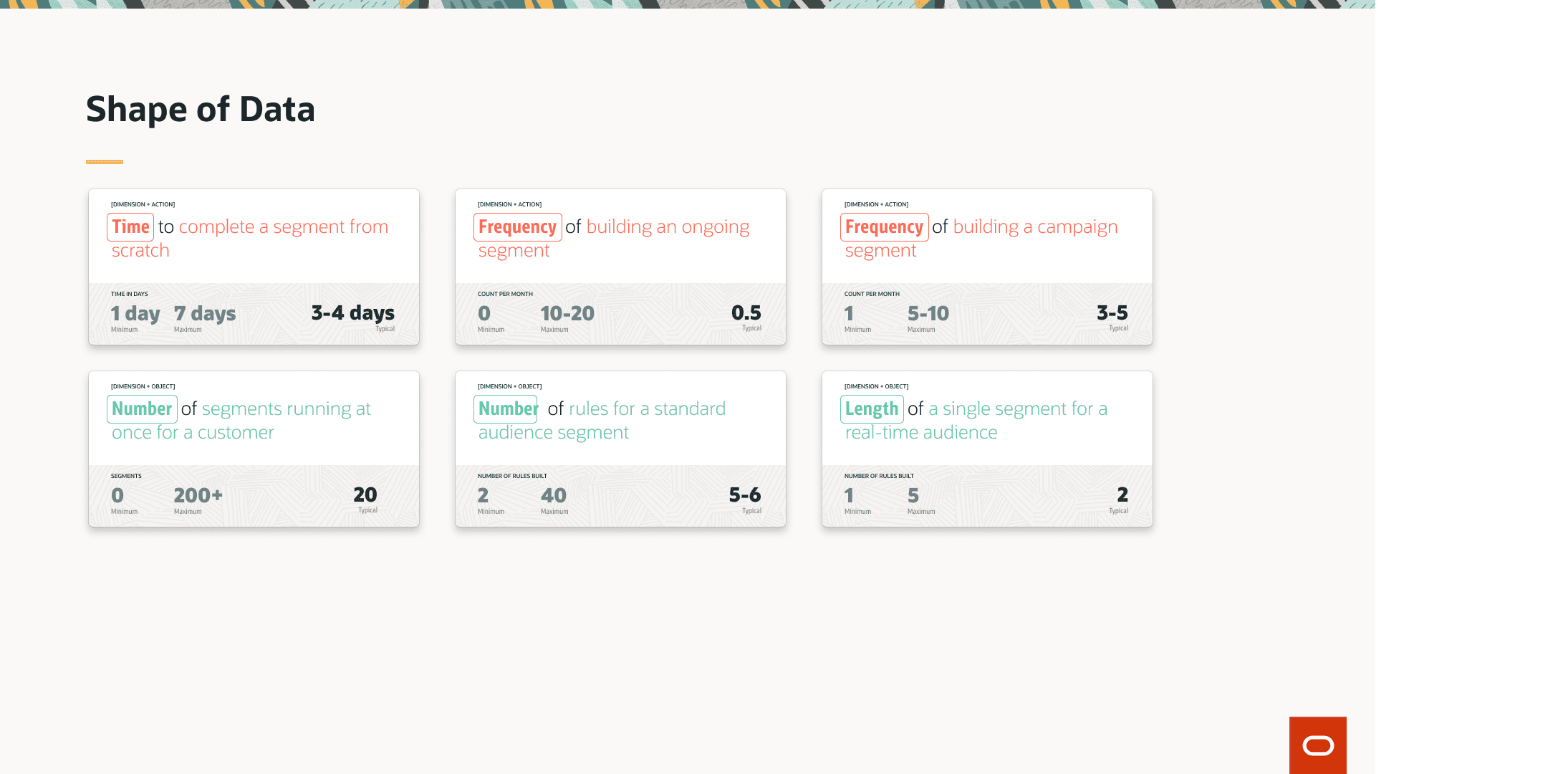
Market research (User goals, Success Criteria, Shape of Data)
User interviews (Identified pain points and target experience)
Low-fidelity and High-fidelity wireframes with usability testing
Query Builder Background
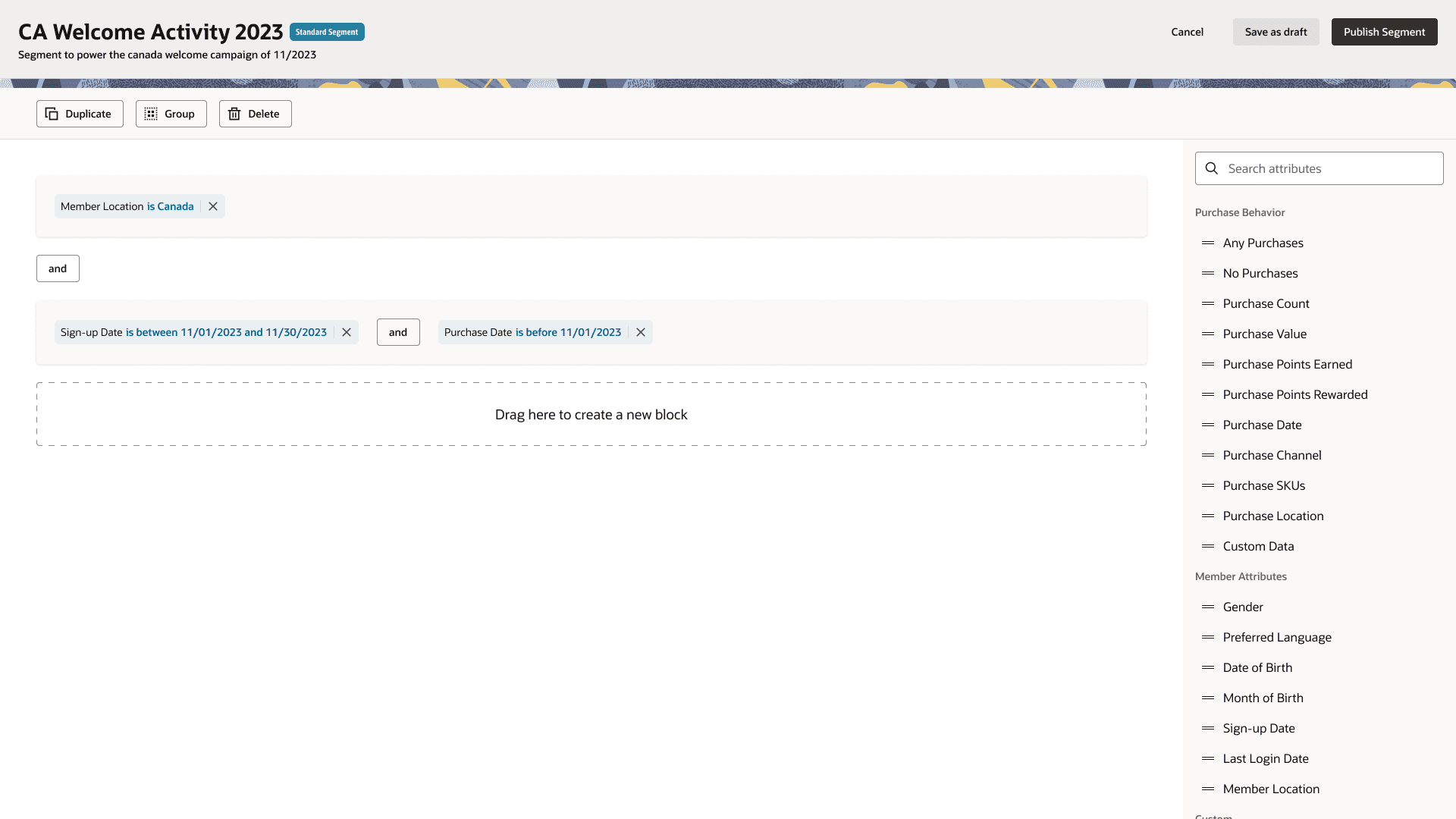
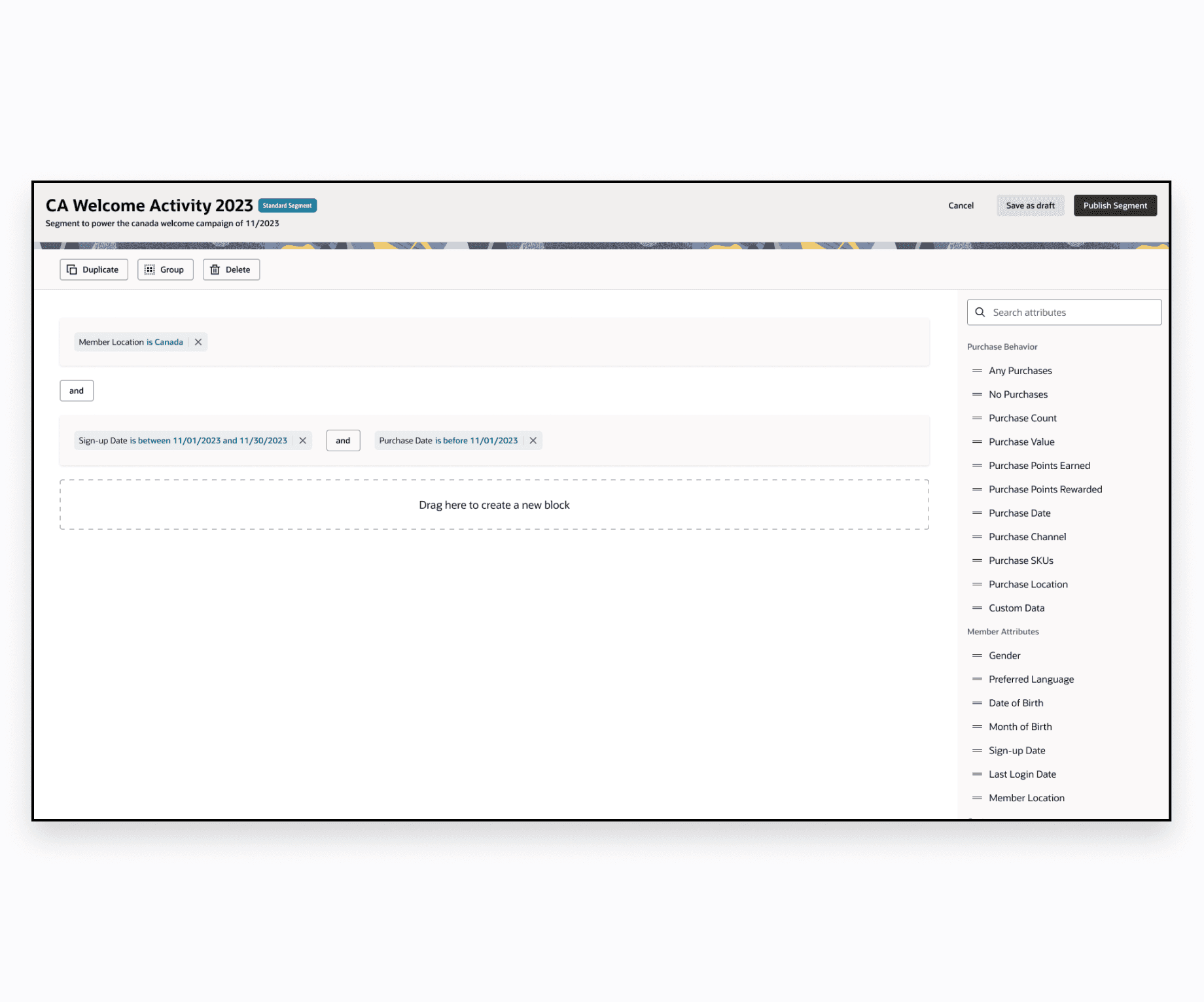
The segmentation tool boils down to a query builder. A query builder is like a playground of blocks that can be stacked together to produce an entity of rules.
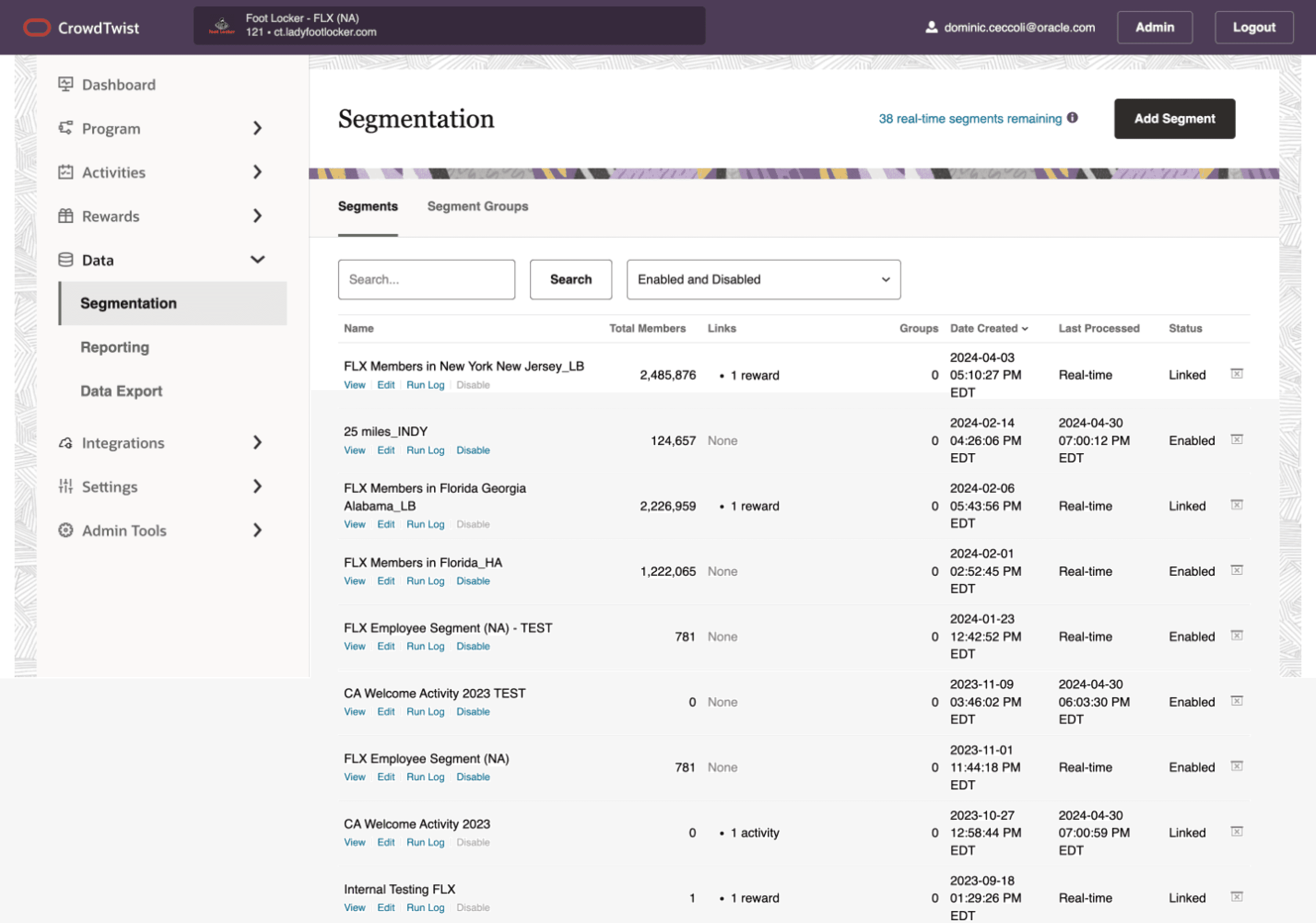
CrowdTwist has many enterprises under its belt, which means each of these companies are building segments everyday. Take a look at a customer example of how many segments are built.
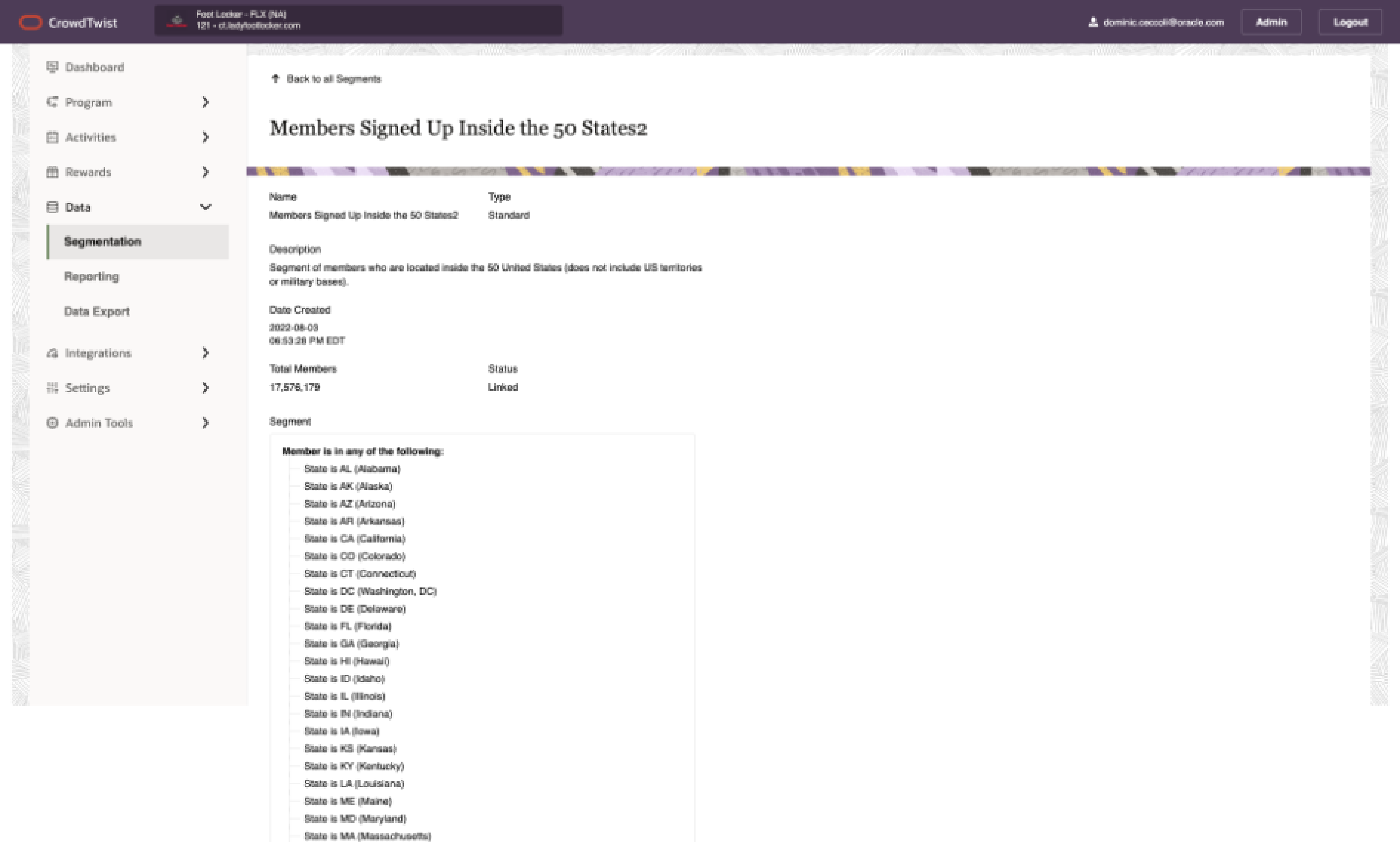
As you can see, just viewing the page itself was difficult. So, I took this as an opportunity to start from scratch with user goals and success criteria.
Before you read more, here are some industry terms (this will help)
Segment: Filter of data used to create an audience for promotions to link on
Segment Group: A group of segments attached together for promotions
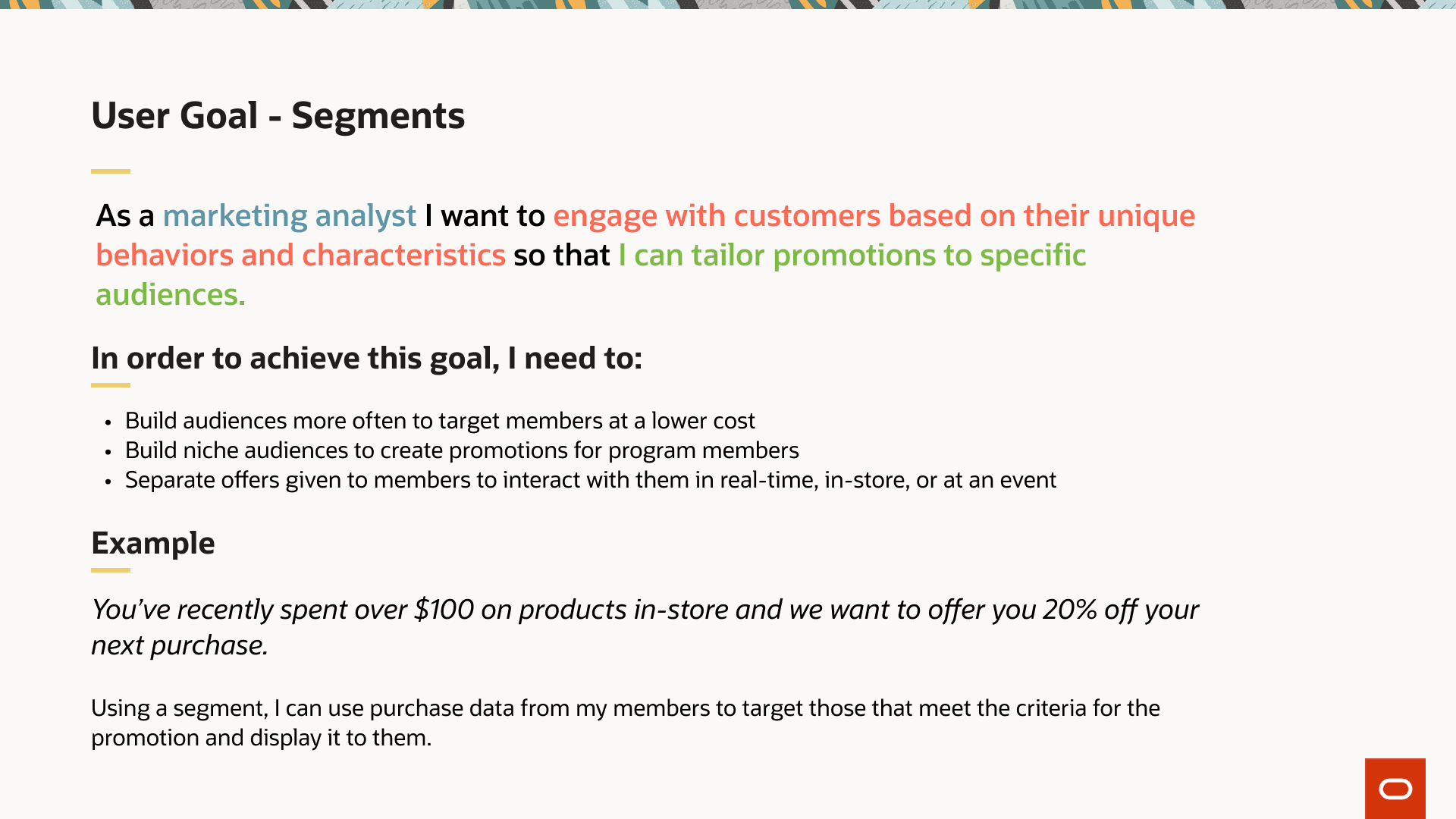
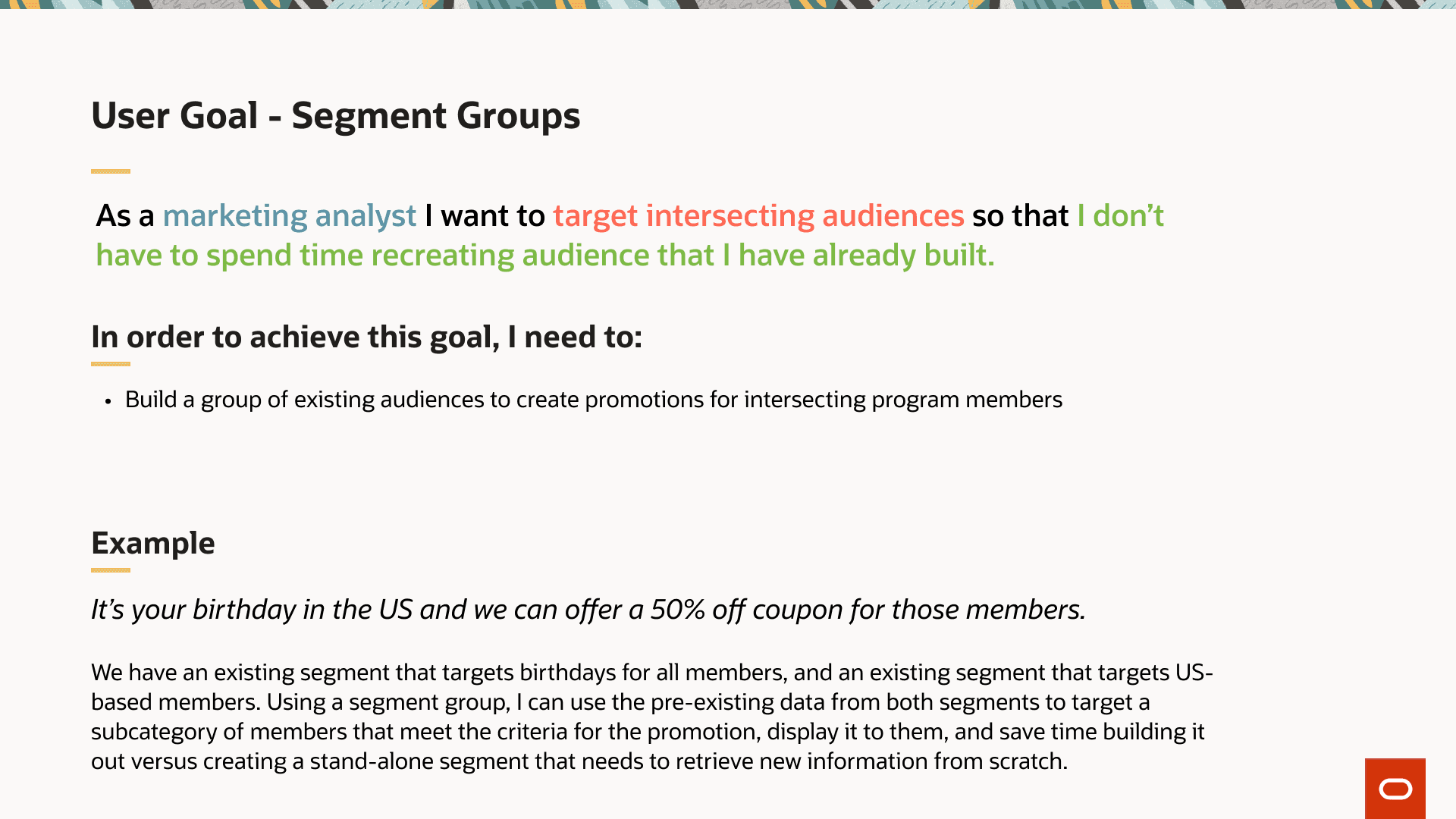
User Goals
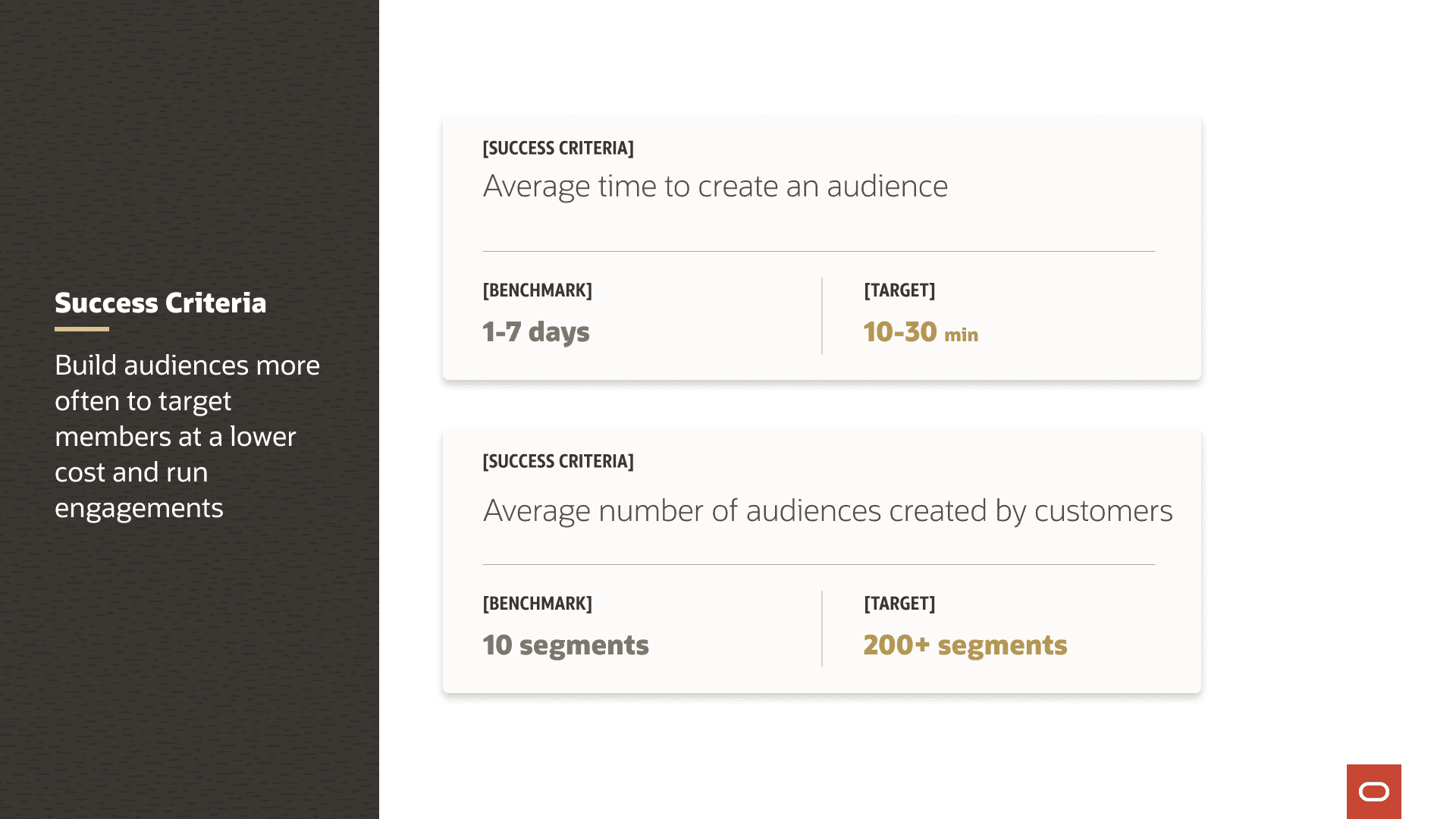
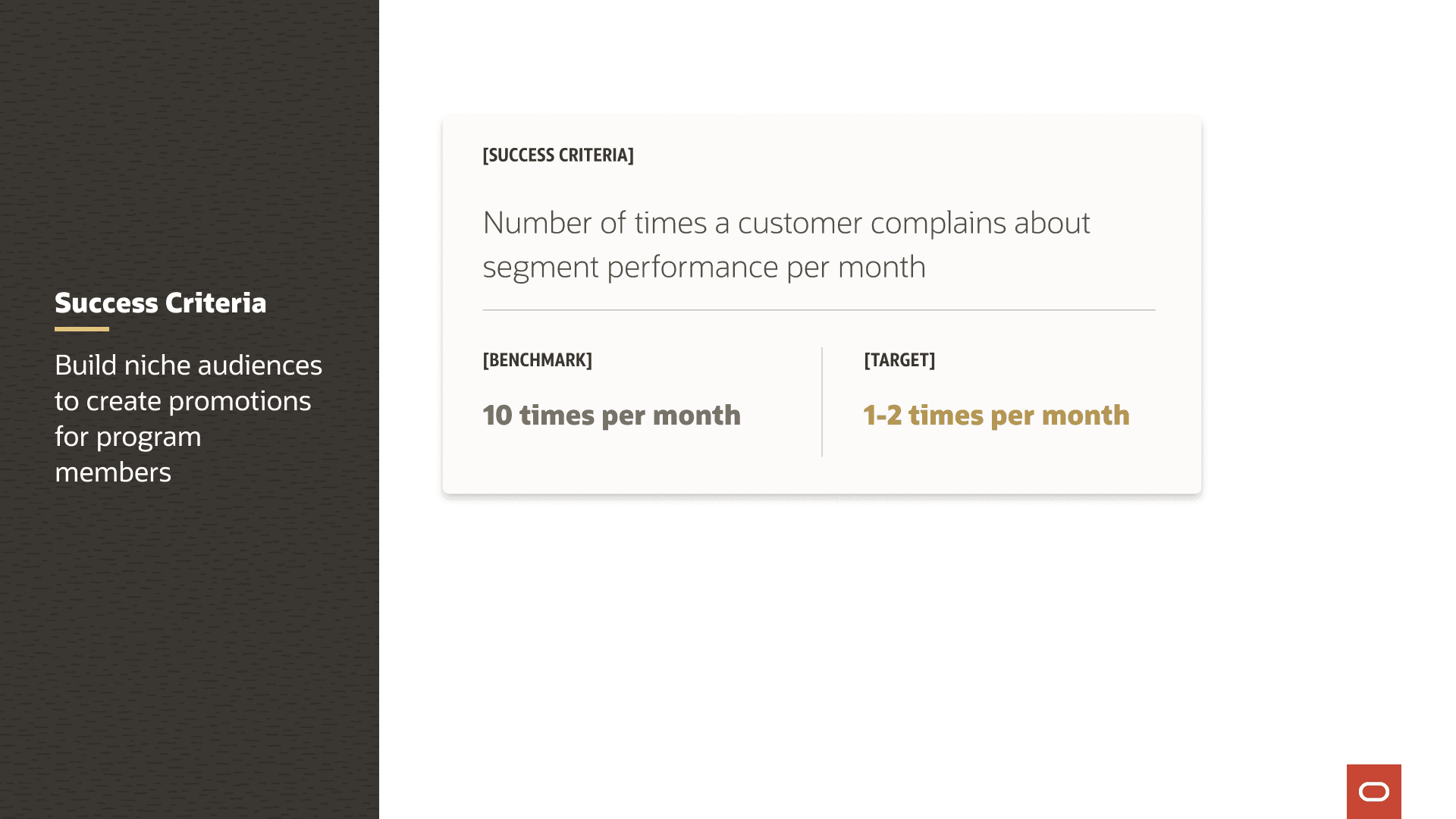
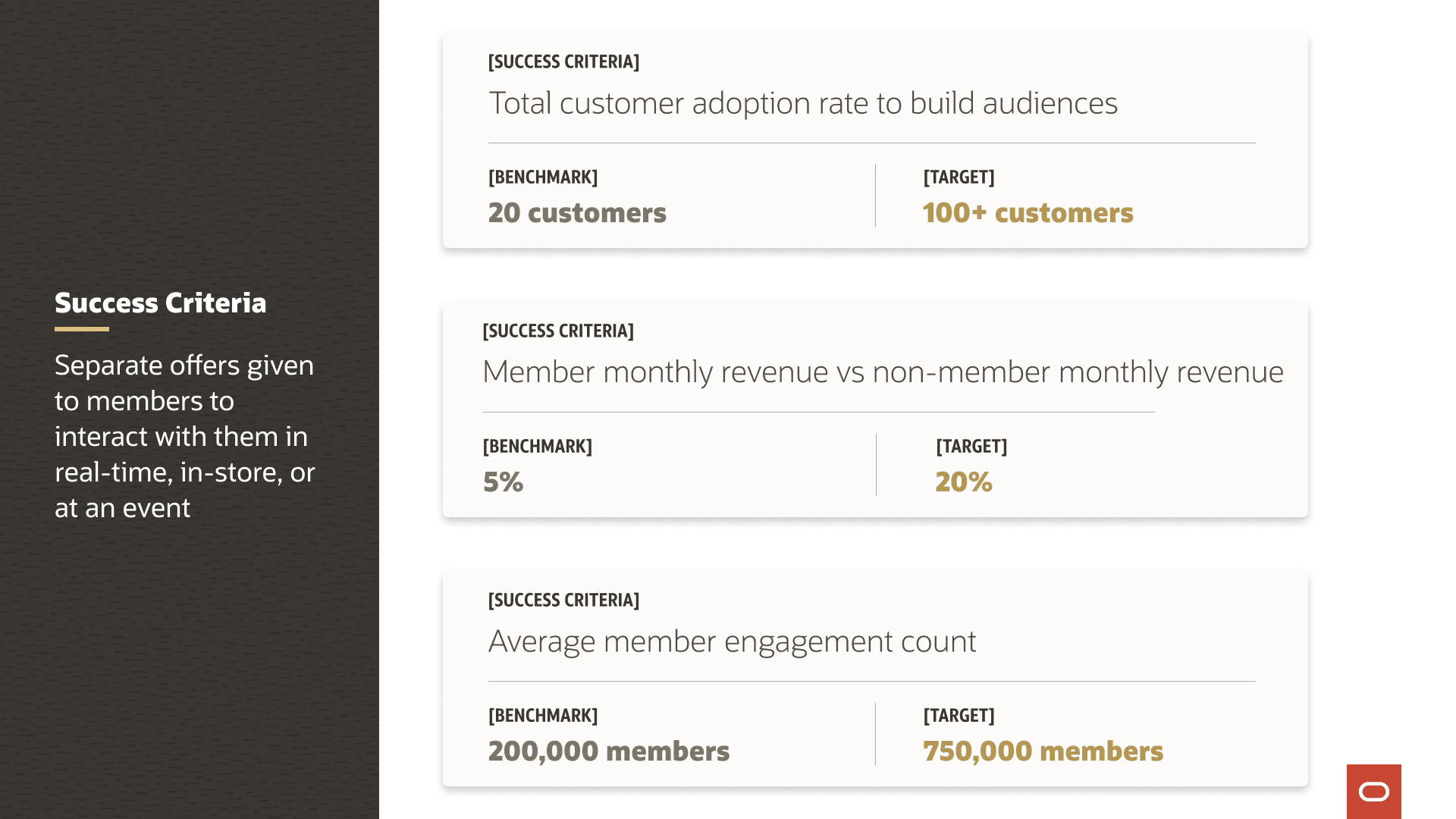
Success Criteria
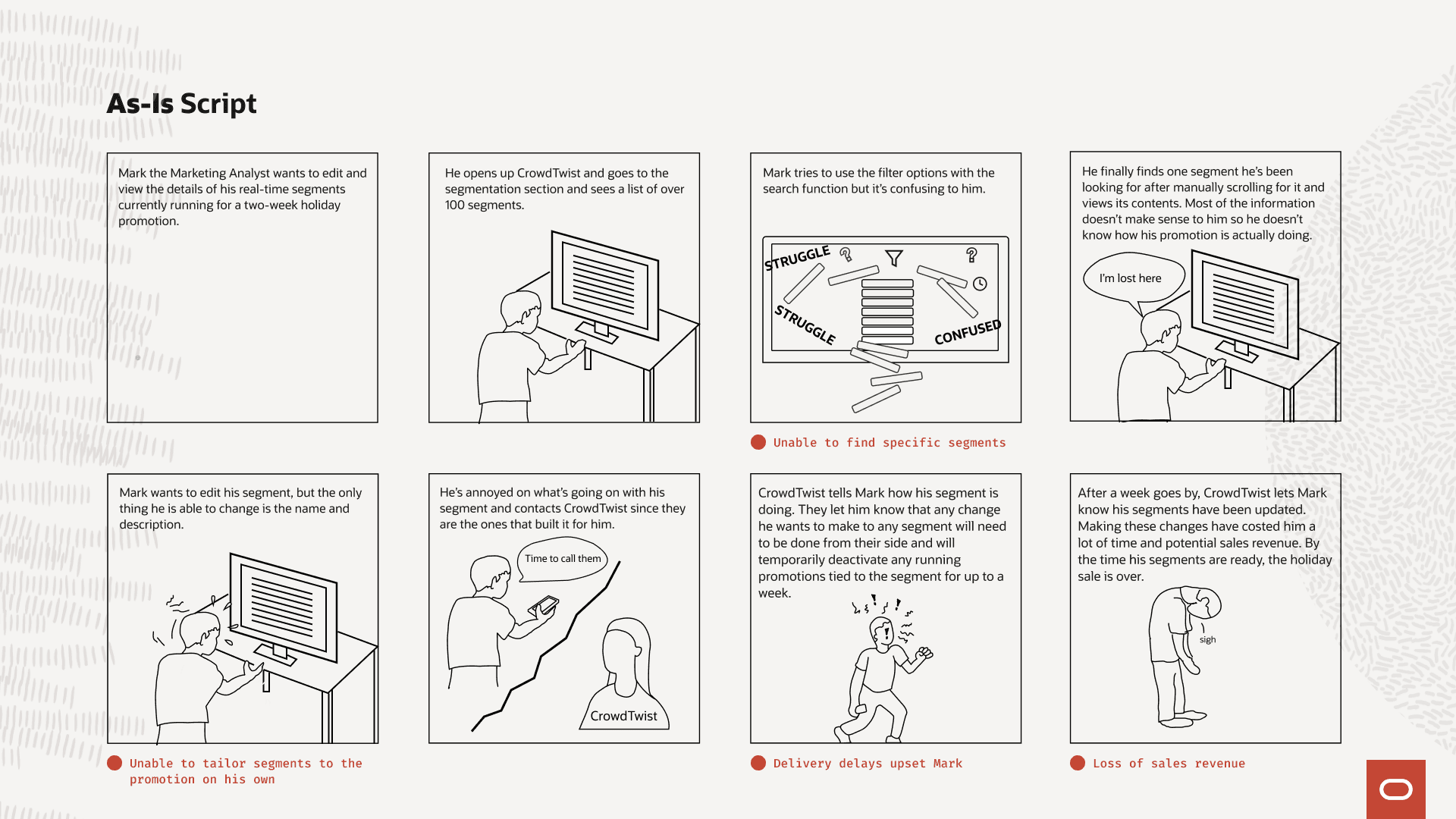
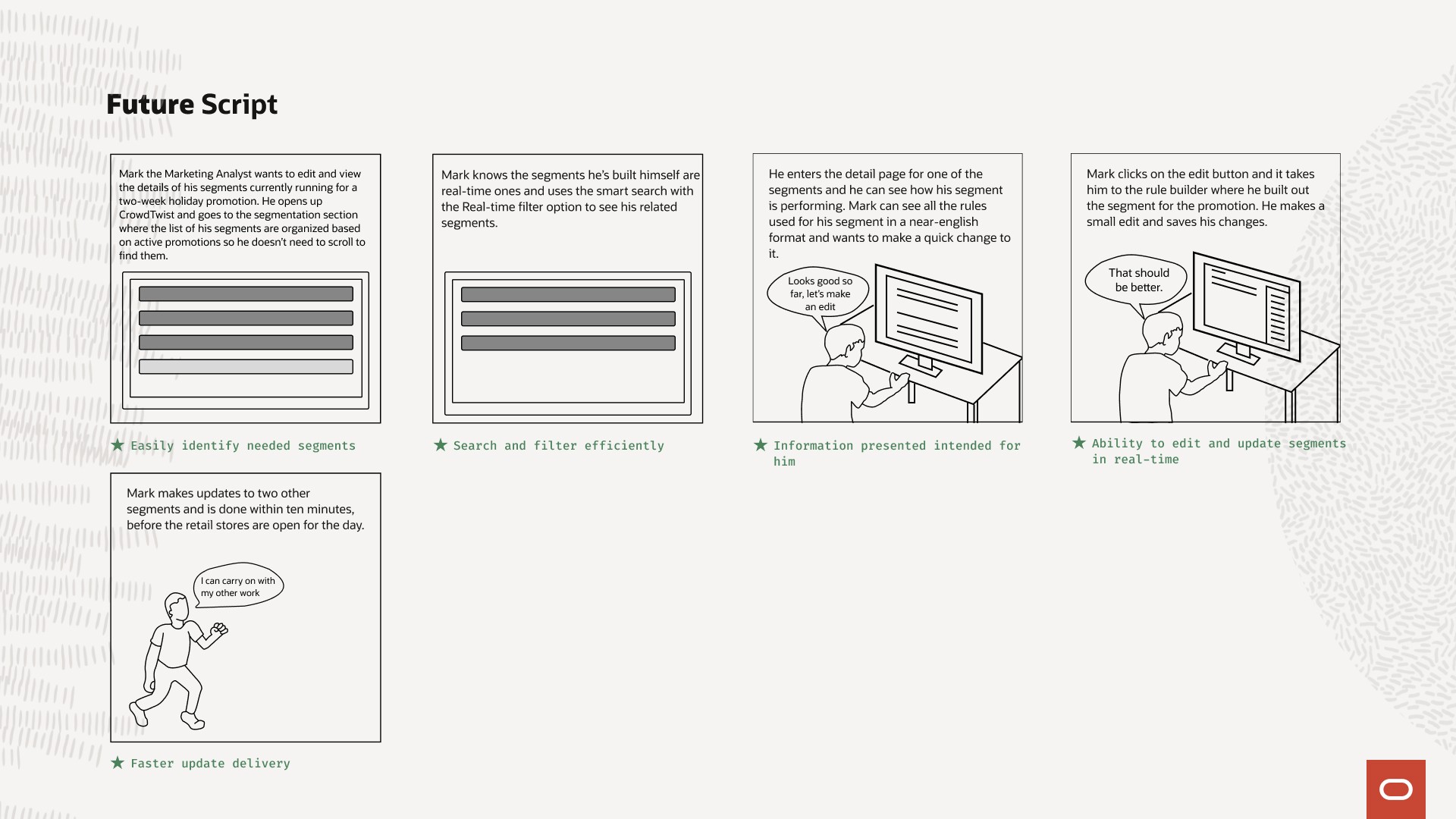
As-Is & Future Scripts
As-Is: Segmentation Table
Today's experience with the landing page
Future: Segmentation Table
The goal experience for the landing page
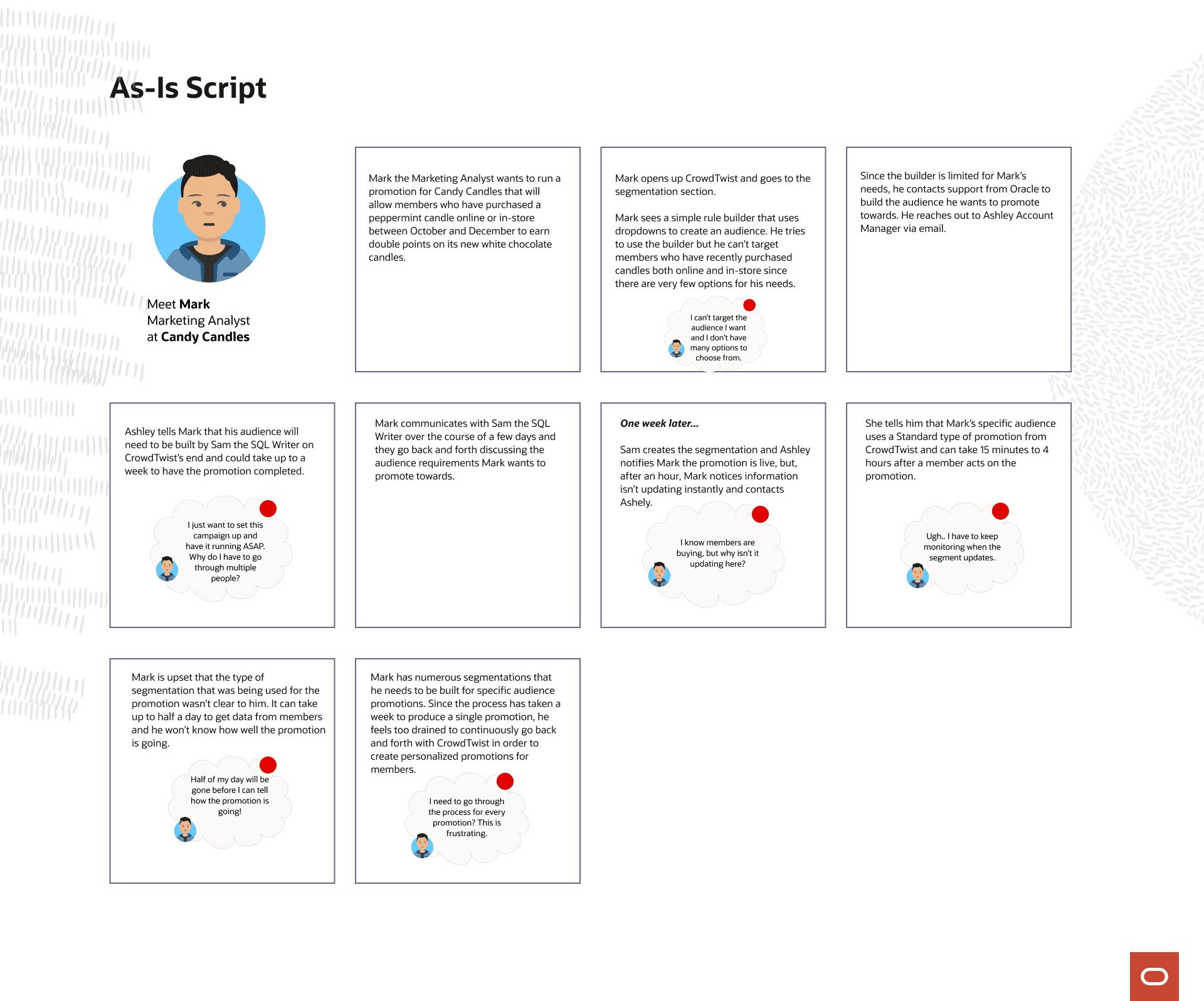
As-Is: Segmentation Rule Builder
Today's experience with the rule builder
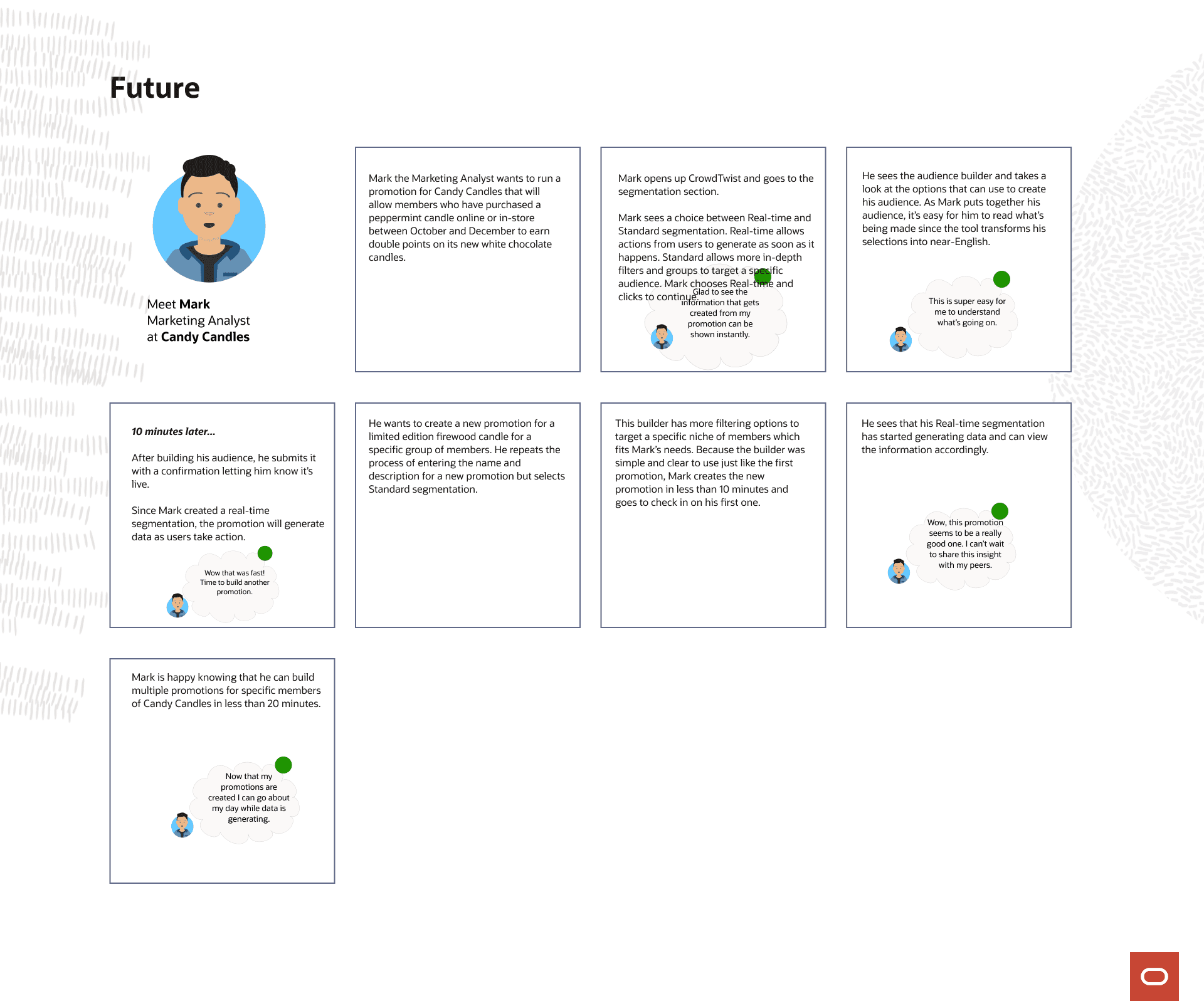
Future: Segmentation Rule Builder
The goal experience for the rule builder
Field Research
Lo-Fidelity Wireframes
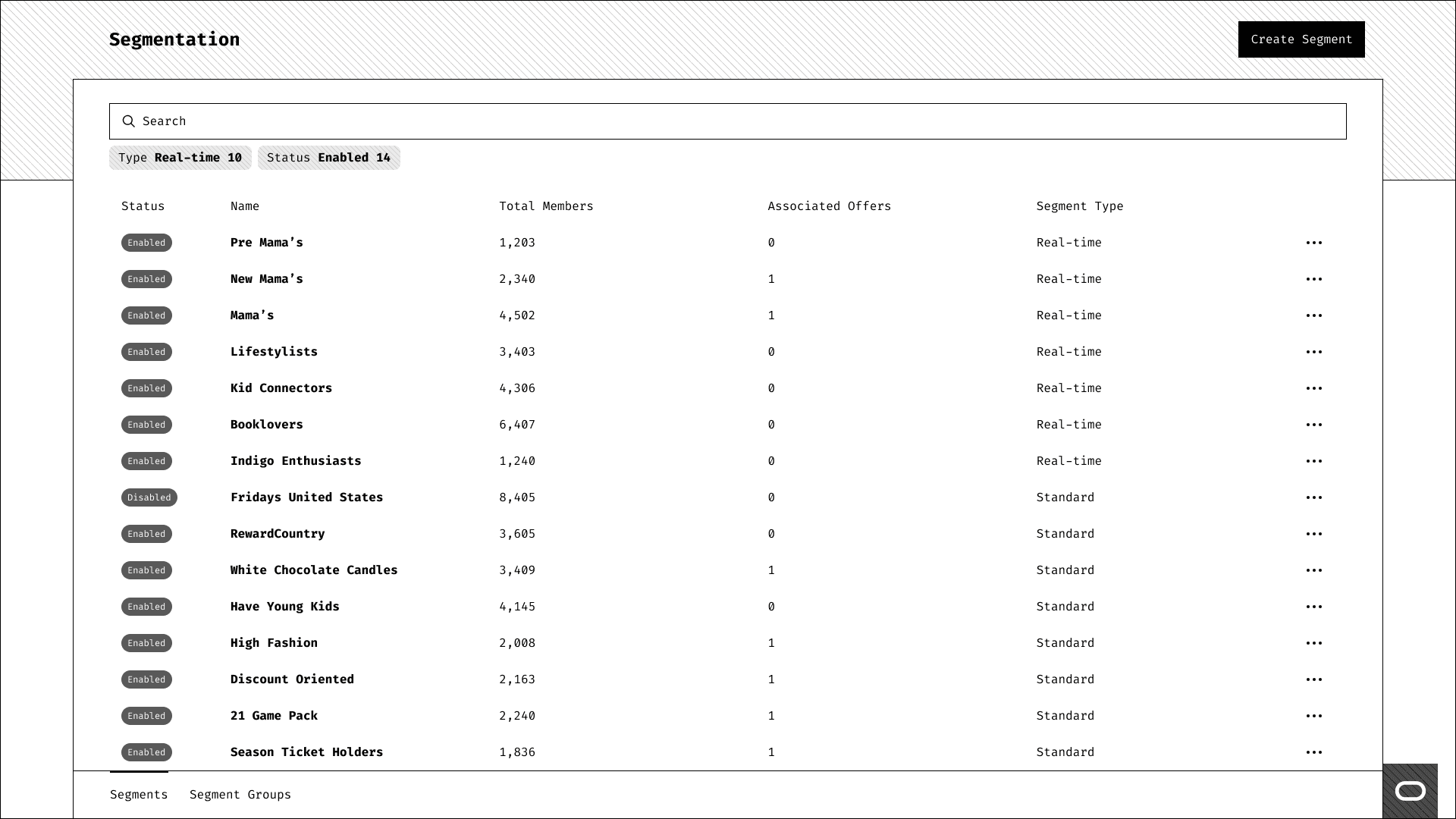
Landing Page - Segments Tab
All of the pages you see here are based on Oracle's design system. With the heavy lifting of the page shells taken care of, I just had to focus on the layout and content. We had a search function and relevant search suggestions that could be used to look for segments. Status allowed users to know if a segment was running or if it had been archived. We showed the most vital information to users like the total audience members, how many offers were attached to a segment (called associated offers), and what kind of segment it was.
To give more context: Real-time refers to segments whose filtered audience will be given a promotion immediately versus Standard refers to segments that need to be given time to update. It's based on the engine that CrowdTwist runs on for separating purchase data from one kind of segment to another. It was a major reason why customers couldn't build segments on their own.
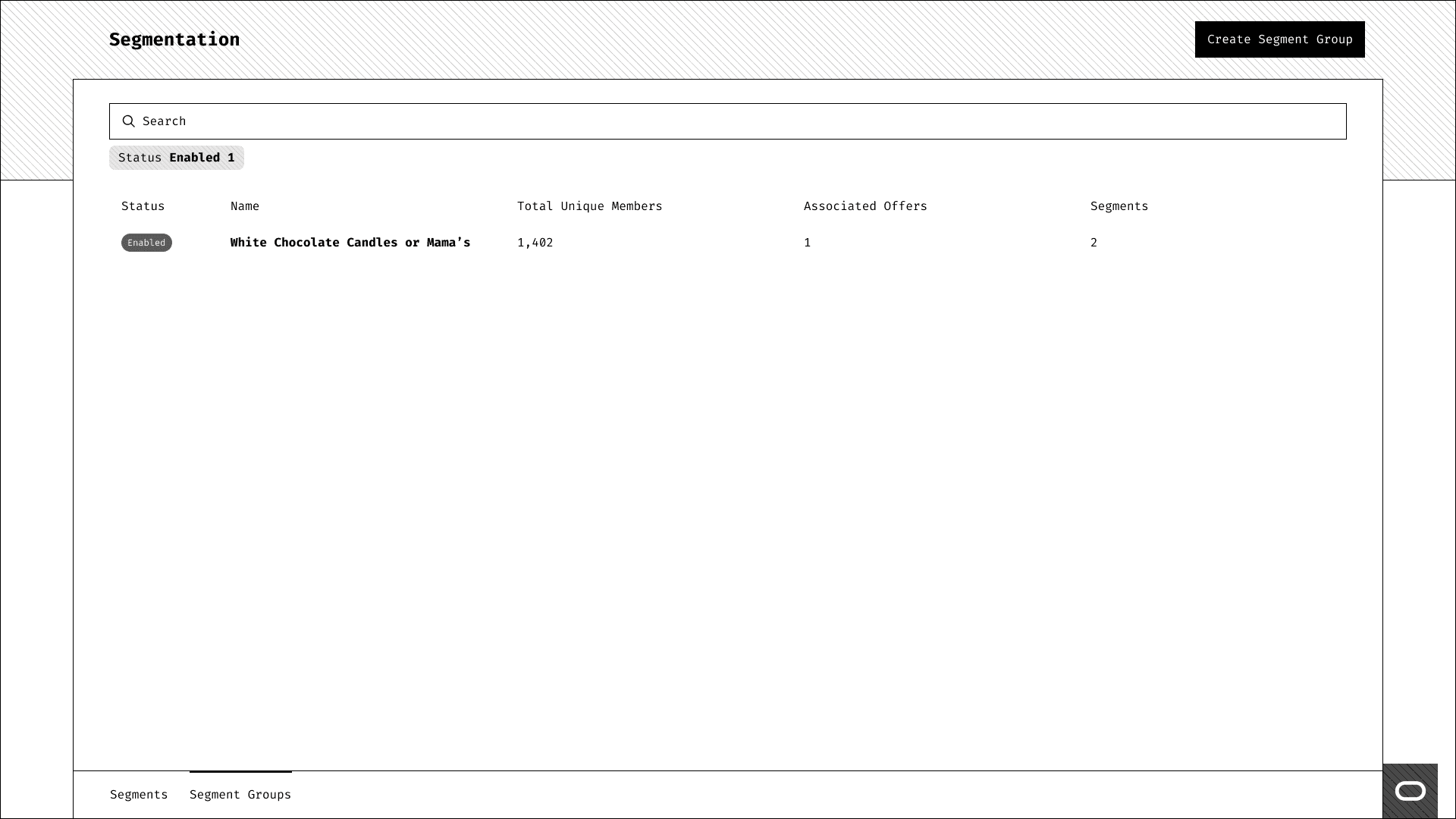
Landing Page - Segment Groups Tab
Similar to the Segments tab, Segment Groups had similar information and only needed to replace the segment type with how many segments were involved in the group.
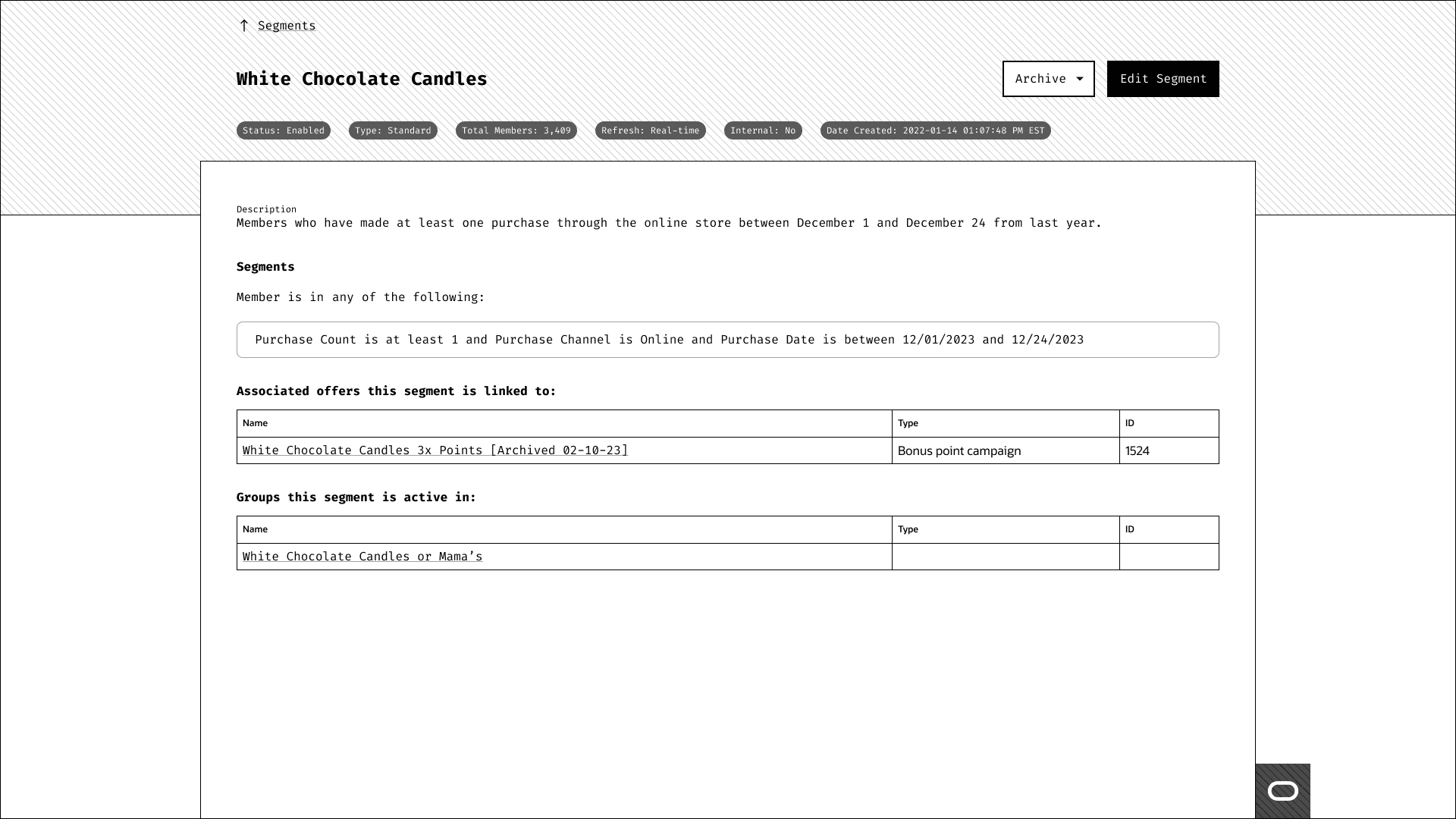
Segment Detail Page
The segment detail page minimized as much page scrolling as possible. The goal was to take all read-only information and place it into data chips at the top of the page. Then the rest of the info could be focused on actual details that users cared about: the rules of the segment, associated offers, and segment groups that are linked with it.
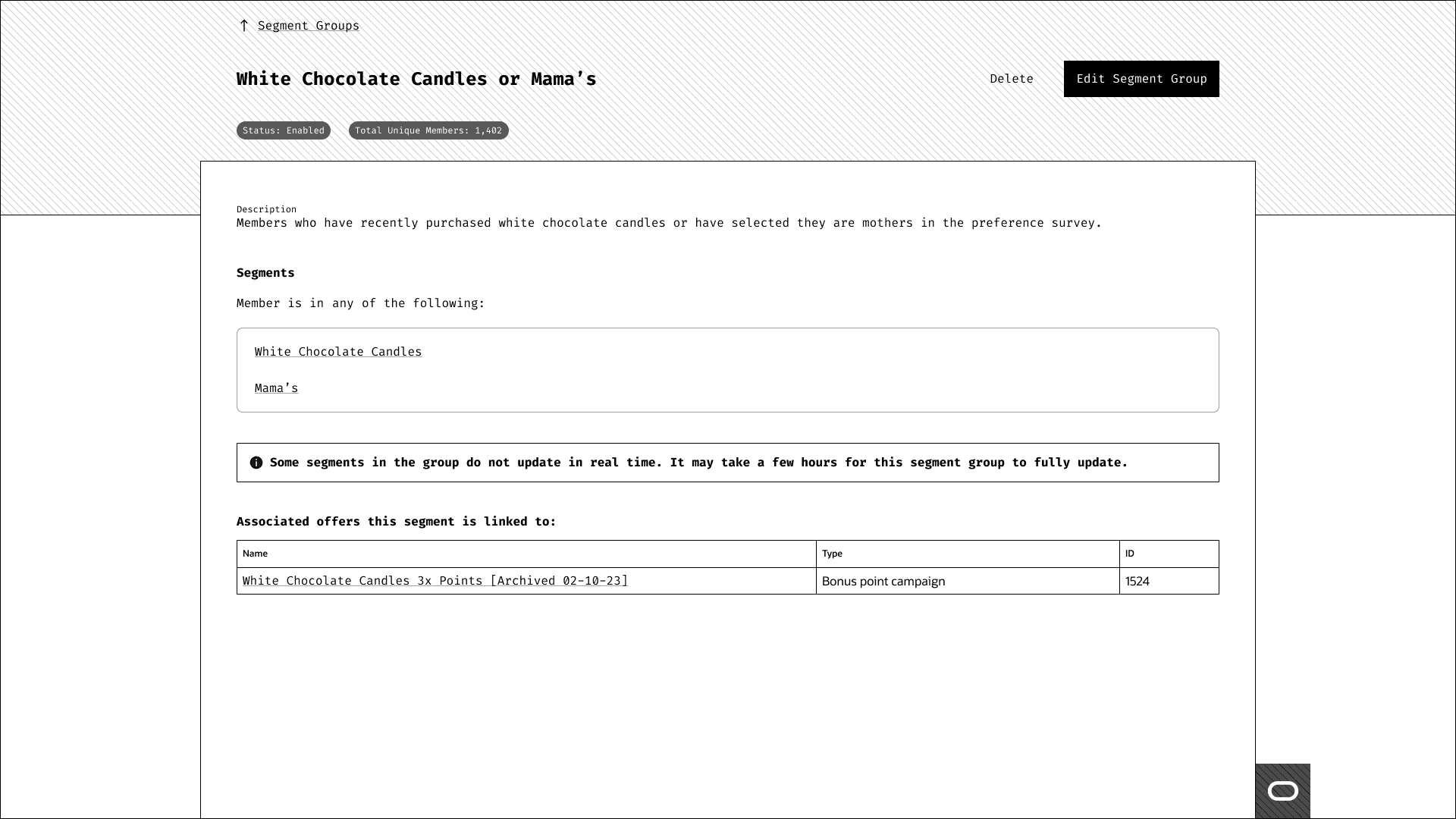
Segment Groups Detail Page
The segment group detail page focused on the same information as the segment detail page; however, we wanted a way for users to view each segment that is used in the rules so they can get more context as to what it is and how it connects with the group.
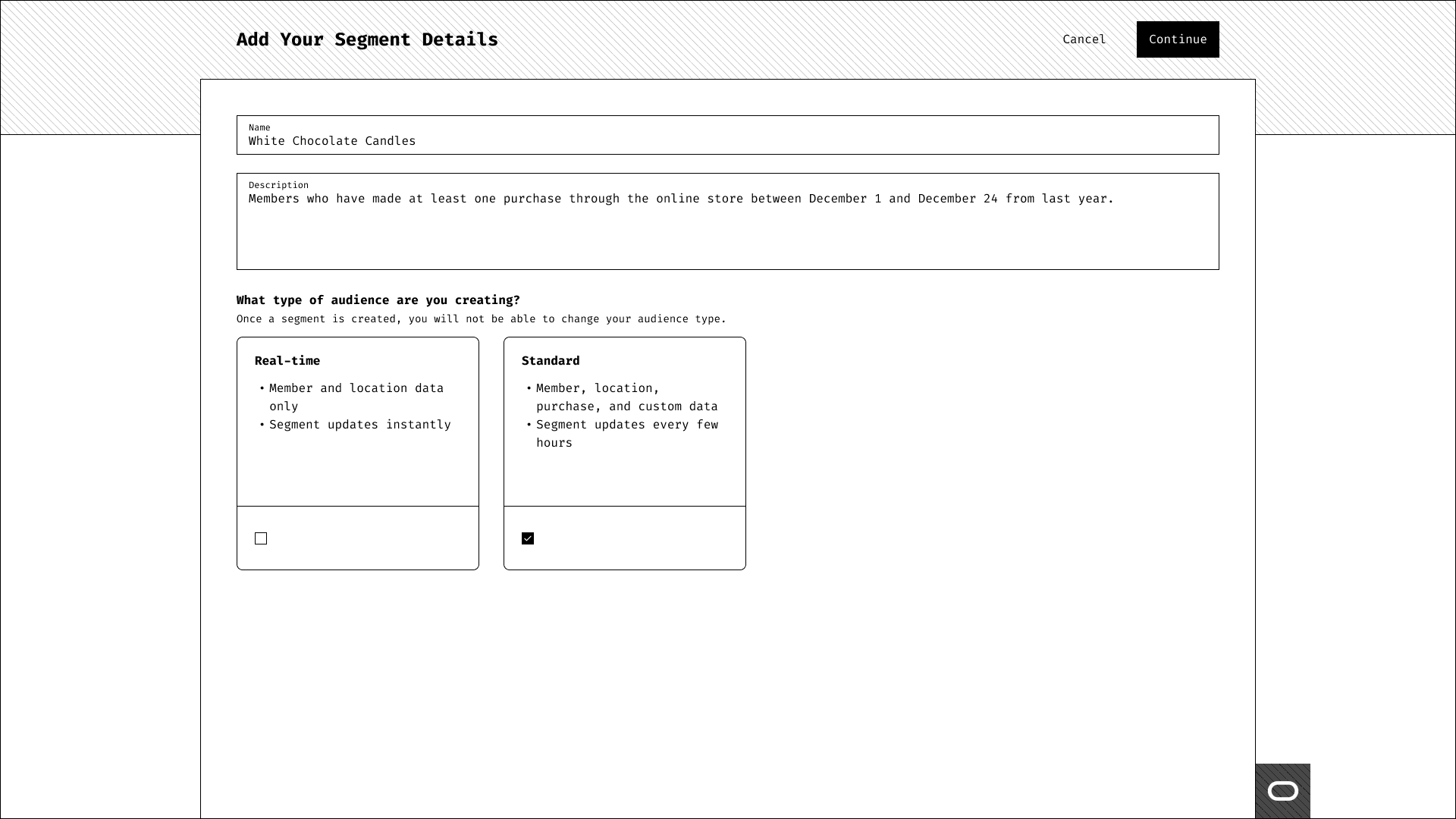
Segment Creation Screen
The creation screen allows for users to enter the name, description, and selecting which type of segment they wish to build from.
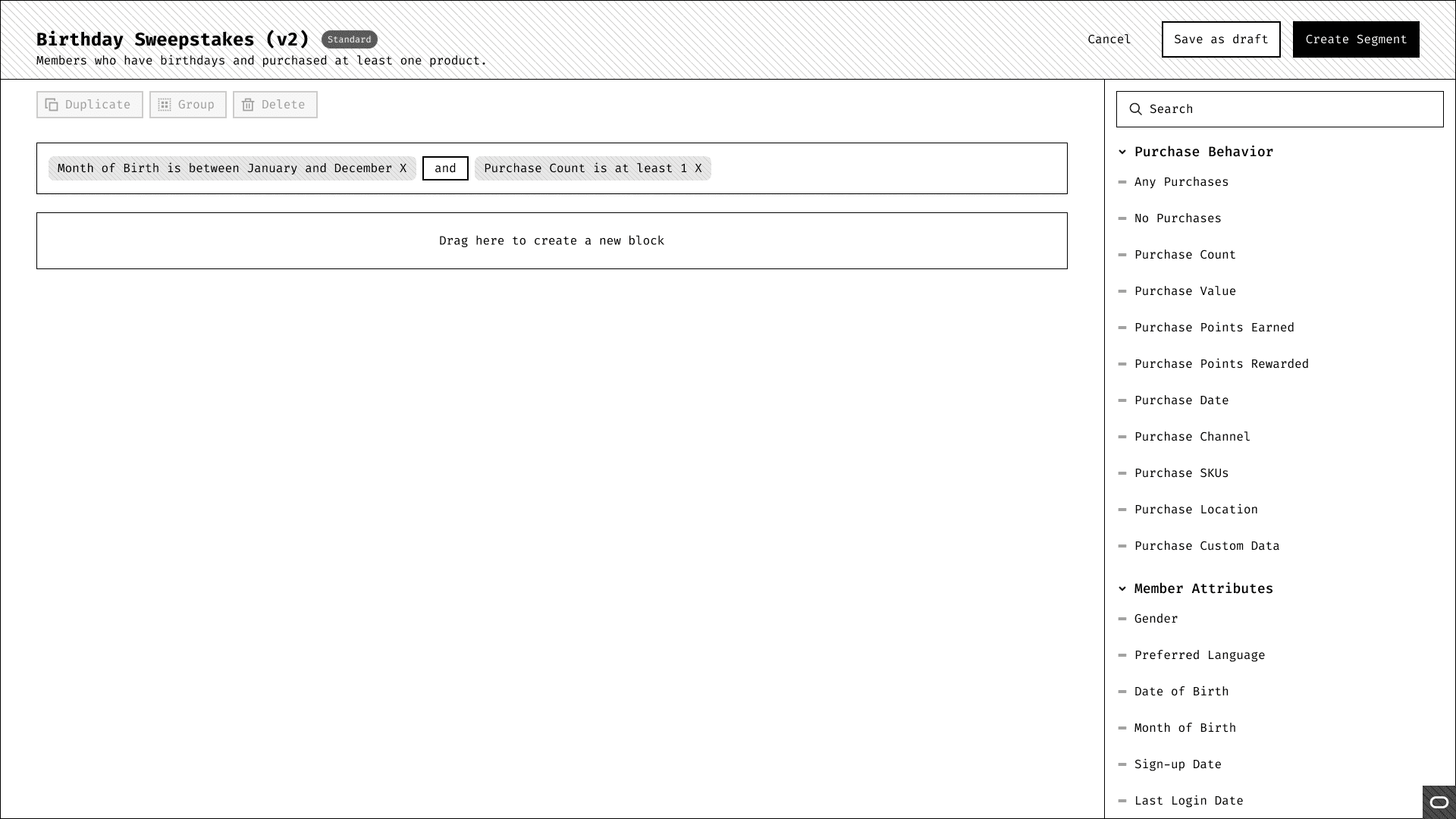
Rule Builder
The rule builder was meant to act as a sleek and minimal drag-and-drop builder. A user can drag any attribute from the right side menu and place it into an existing rule block or an empty one to create separate filters. They could also search for the attribute and drag it from the side menu as well. Users have the ability to duplicate and delete attributes, and if they select multiple attributes together they could group them to separate a subsection of filters to not confuse the and/or logic functions.
Usability Testing
High-Fidelity Wireframes
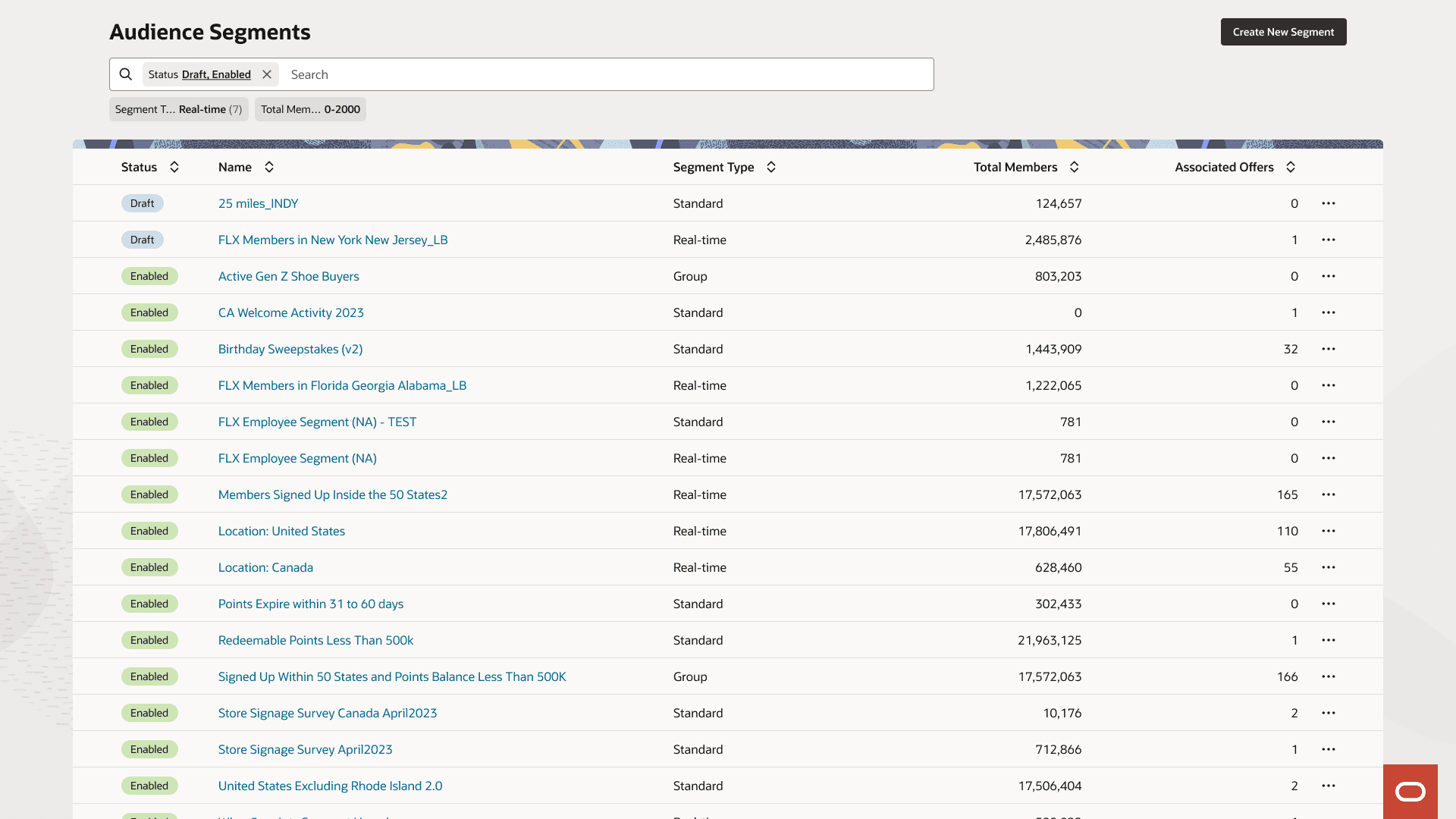
Landing Page - Segments and Segment Groups Merged Together
After realizing users didn't see the tabs, I merged them together under one table and that seemed to do the trick for users becoming more aware of their groups.
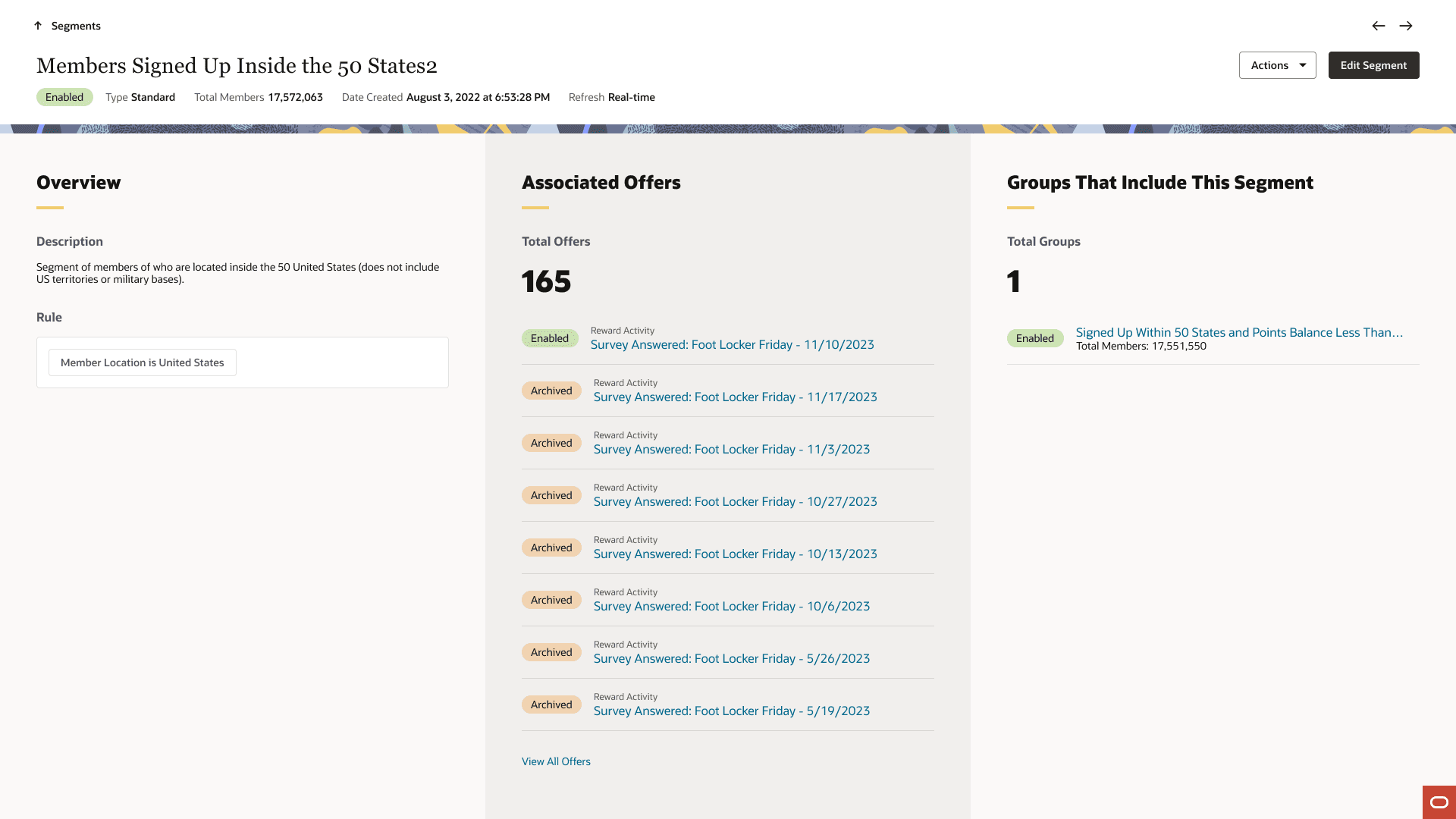
Segment Detail Page
I split the segment detail page into three separate sections so that users can read all of their information in a non-scrollable format and only if they wanted to see all of their information for a specific section, they could click at the bottom of the panel to be taken to a page dedicated to it.
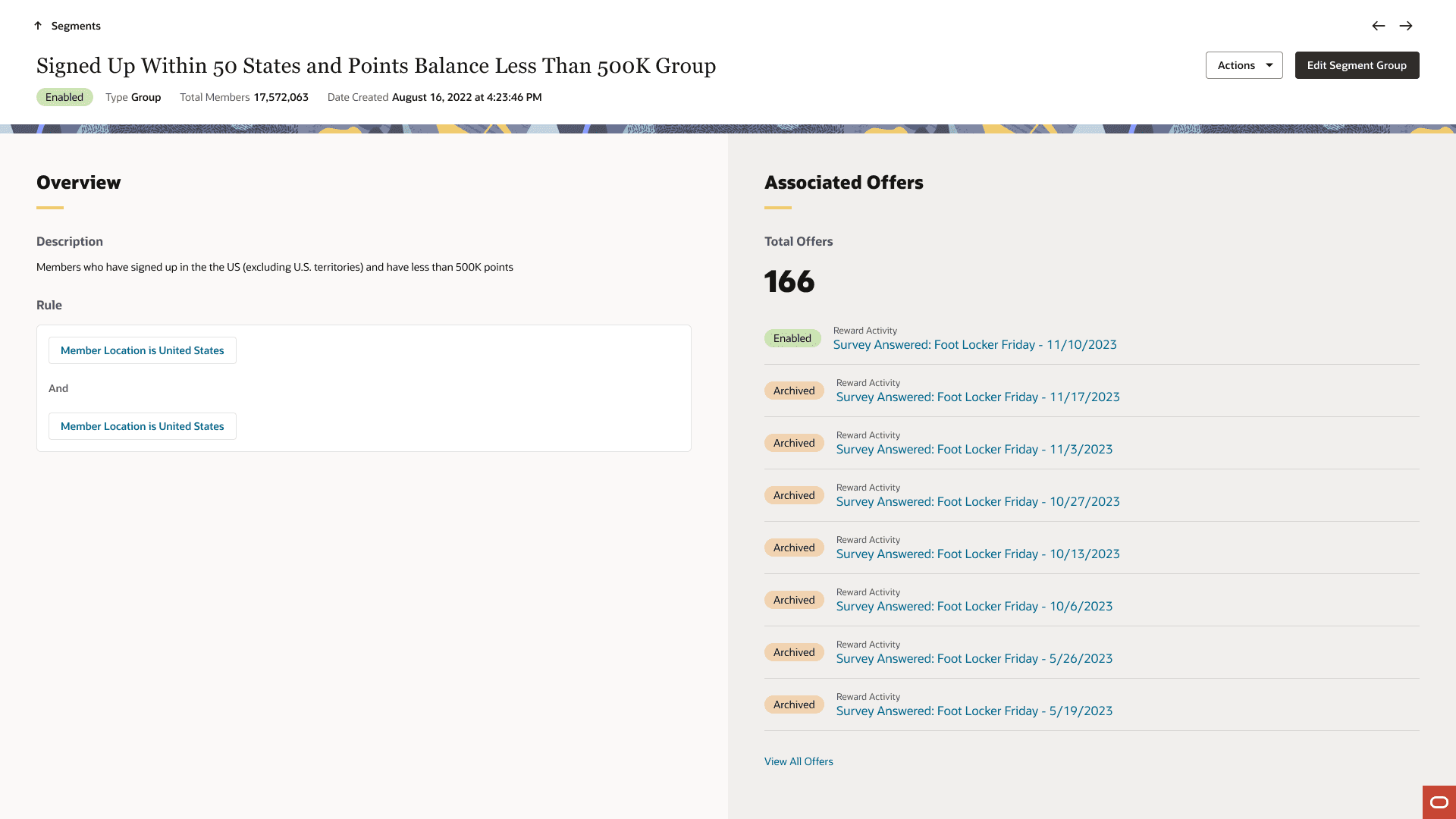
Segment Groups Detail Page
Very similar to the detail page above, but here we didn't need to list the groups a segment belong to because, well, this is a page for a group of segments added in a rule together. Users can click on the hyperlinked rules and be taken to the related segment.
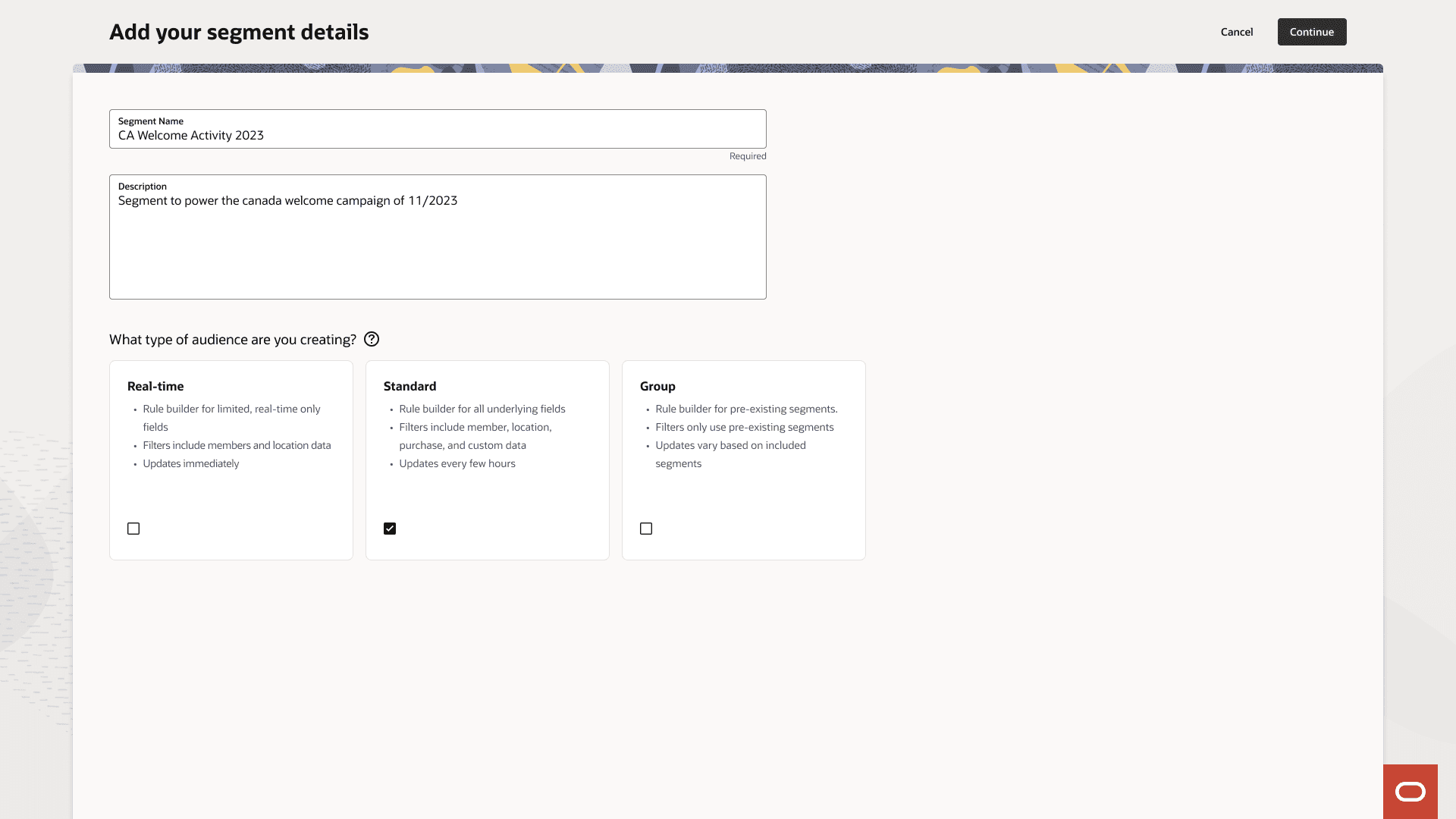
Segment Creation Screen
Since all the segment types were under one roof, having the creation screen merged together actually replaced the need to have two separate pages dedicated to one segments and segment groups.